
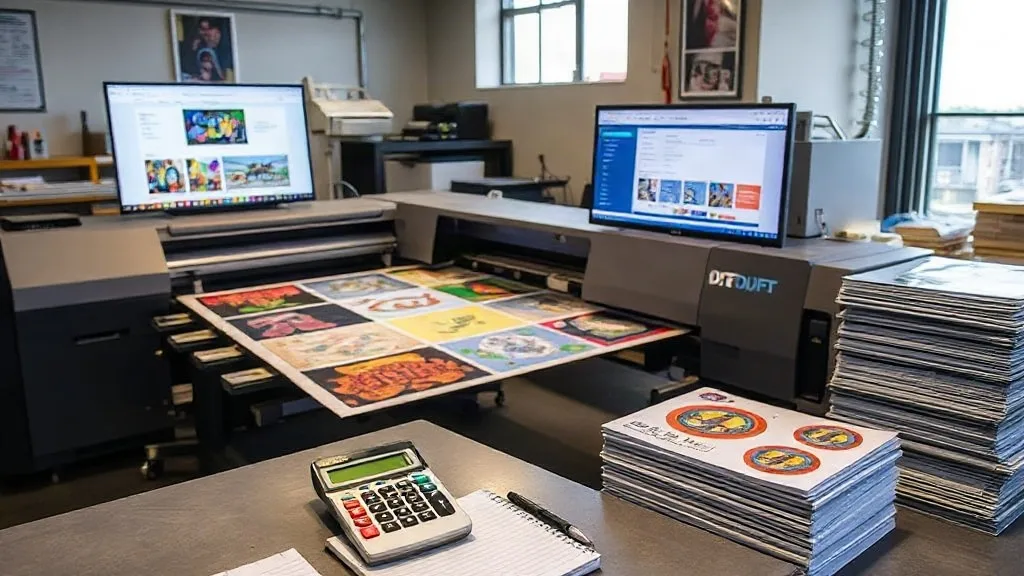
You have probably heard that using a DTF Gangsheet is a smart way to save money on DTF printing. But if you are only thinking about filling every inch of film with as many designs as possible, you are missing the bigger picture. The real savings in DTF gangsheet printing come from a strategic approach that balances design placement, film usage, and ink consumption. In this guide, we will explore how to cut costs without cutting corners, so you can maximize your profits while delivering high-quality transfers.
Whether you are a small print shop owner or a hobbyist looking to scale up, understanding the economics of DTF gangsheets is crucial. Let's dive into the details that can transform your bottom line.
The Hidden Costs in DTF Printing
Before we discuss how to save, it's important to identify where your money is going. DTF printing involves several consumables: film, ink, powder, and time. Each of these contributes to your overall cost per print. Many printers focus solely on film cost, but ink and powder can add up quickly if not managed properly.
For instance, overfilling a gangsheet with too many small designs might seem efficient, but it can lead to increased ink usage due to more edges and color transitions. Similarly, poor nesting can cause film waste and reprints, which eat into your profits.
Film: The Biggest Expense
DTF film is typically the most significant recurring cost. While it might be tempting to buy cheap film, low-quality film can cause jams, poor ink adhesion, and inconsistent transfers, leading to wasted time and materials. Investing in quality film that works well with your printer and powder can actually save you money in the long run by reducing errors.
Ink and Powder: The Silent Budget Killers
Ink and powder costs are often underestimated. Using too much ink not only increases costs but can also affect the feel and durability of the transfer. Similarly, excessive powder leads to a thicker, stiffer print and wastes material. Proper settings and gangsheet layout can help you use just the right amount.
Smart Gangsheet Planning: The Key to Savings
Creating an efficient gangsheet is both an art and a science. It's not just about filling space; it's about optimizing for the entire production process. Here are some strategies to plan your gangsheet for maximum cost savings.
1. Group Similar Designs
Grouping designs with similar color palettes can reduce ink changes and cleaning cycles, saving time and ink. For example, if you have several designs that use predominantly red and black, place them together on the sheet. This minimizes the need to purge inks between jobs.
2. Nesting for Film Efficiency
Nesting is the arrangement of designs to minimize unused film. But don't just nest for film; consider the cutting process. Leave enough space between designs for easy cutting and weeding. Overlapping designs might save film but can lead to mistakes and reprints, which cost more.
3. Consider the Cut Line
When designs are close together, cutting them out can be time-consuming and error-prone. A small investment in extra film to allow for clean cut lines can save you from ruining a whole sheet due to a cutting mistake.
4. Use Standard Sizes
If possible, standardize your gangsheet sizes to match common film roll widths. This reduces waste from trimming and allows you to use off-the-shelf frames or carriers.
5. Test and Measure
Before committing to a large gangsheet, do a test print with a small batch to check for color accuracy, ink coverage, and powder application. Adjust your settings accordingly to avoid costly reprints.
Maximizing Profit Margins with DTF Gangsheets
Now that we've covered planning, let's look at how to translate those savings into higher profits. It's not just about reducing costs; it's also about increasing throughput and customer satisfaction.
Reduce Waste, Increase Output
By optimizing your gangsheet, you can fit more designs per sheet, reducing the number of sheets you need to print. This directly lowers your film and ink costs per design. Additionally, less waste means fewer reprints, saving time and materials.
Speed Up Production
A well-planned gangsheet reduces the need for manual intervention. With fewer errors and smoother printing, you can produce more transfers in less time, allowing you to take on more orders or reduce turnaround times.
Enhance Quality
Consistent ink coverage and proper powder application result in better transfer quality. Happy customers are repeat customers, and positive reviews can help you grow your business.
Common Mistakes That Cost You Money
Even experienced printers can fall into traps that increase costs. Here are some common mistakes to avoid.
- Overcrowding the sheet: Trying to fit too many designs can lead to cutting errors and ink bleeding.
- Ignoring film specs: Using film that doesn't match your printer's requirements can cause jams and poor adhesion.
- Neglecting maintenance: A dirty printer or clogged nozzles waste ink and cause misprints.
- Not tracking costs: Without knowing your exact cost per print, you can't price effectively or identify savings.
Case Study: How One Shop Cut Costs by 30%
Consider a small print shop that was struggling with high material costs. They were using a standard gangsheet layout, filling every inch with designs. However, they noticed frequent reprints due to cutting errors and inconsistent ink coverage. After implementing a few changes, they saw significant savings.
First, they started grouping designs by color to reduce ink changes. Second, they left a bit more space between designs for easier cutting. Third, they switched to a higher-quality film that, while more expensive per roll, reduced jams and reprints. Within three months, their material costs dropped by 30%, and their production speed increased by 20%.
Tools and Software to Help
Fortunately, there are tools designed to help you optimize gangsheets. RIP software often includes nesting features that automatically arrange designs for maximum efficiency. Some software even calculates ink usage and cost per sheet. Investing in such tools can pay for itself quickly.
Frequently Asked Questions
How can I reduce film waste when printing DTF gangsheets?
Start by using nesting software to arrange designs efficiently, but don't overcrowd. Leave adequate space for cutting. Also, consider printing on standard film widths to minimize trimming waste.
Is it cheaper to print DTF transfers in-house or outsource?
It depends on your volume. For high volumes, in-house printing with optimized gangsheets can be more cost-effective. For low volumes, outsourcing might be cheaper. Calculate your cost per print including film, ink, powder, and labor.
What is the best way to group designs on a gangsheet?
Group designs with similar colors together to reduce ink changes. Also, group by size and complexity for consistent quality. Avoid mixing very small and very large designs if it complicates cutting.
How does ink coverage affect my DTF printing costs?
Higher ink coverage uses more ink, increasing costs. It can also affect the feel of the transfer. Optimize your design files to use only the necessary ink, and adjust printer settings for efficient ink usage.
Can I reuse DTF film?
No, DTF film is designed for single use. Reusing film can cause poor adhesion and quality issues. Always use fresh film for each print.